
Color swatches do not show your face
- Box dye samples ignore skin tone, lighting, hair length, and your actual style.
- Flat filters can look fun, but they rarely help when you need a real salon decision.
- A stylist needs a clear visual reference, not a vague color name.
Use a try-on when the color is hard to picture
This page is for comparing how a specific shade changes your own face and overall look—not just browsing color swatches.
- Compare warm and cool versions of the same color.
- Check how the shade reads with your current haircut and lighting.
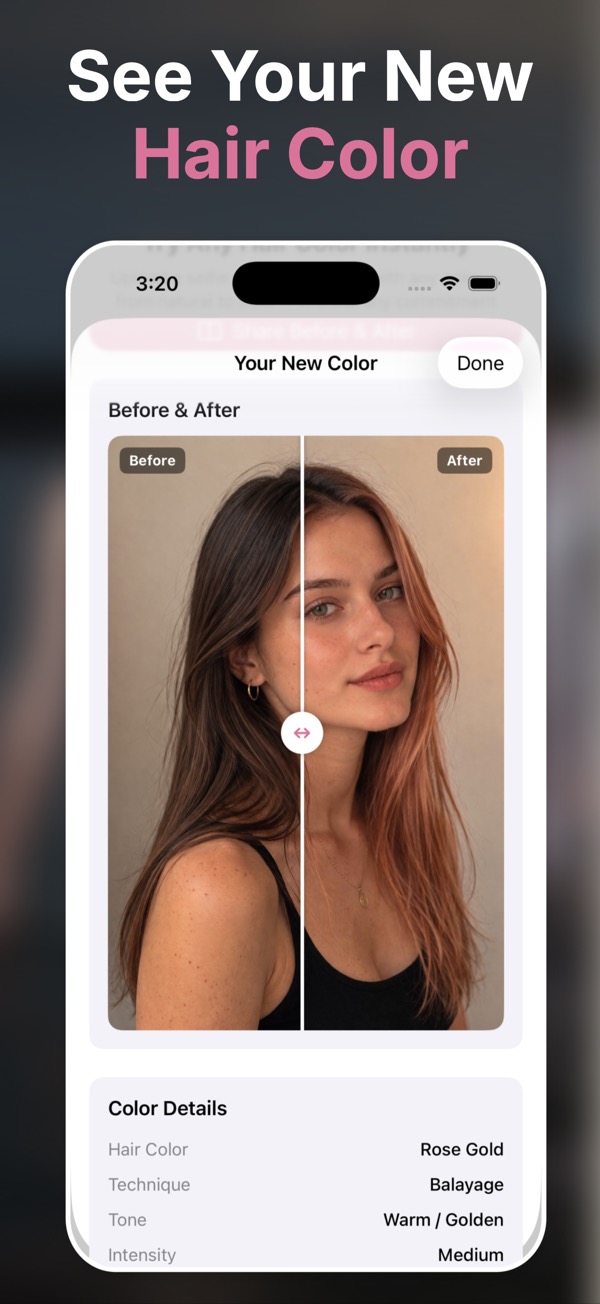
- Save a before-and-after reference your stylist can discuss.
A personal preview you can compare
Preserves your look
The AI changes hair color while keeping facial features, skin tone, and lighting believable.
Supports real techniques
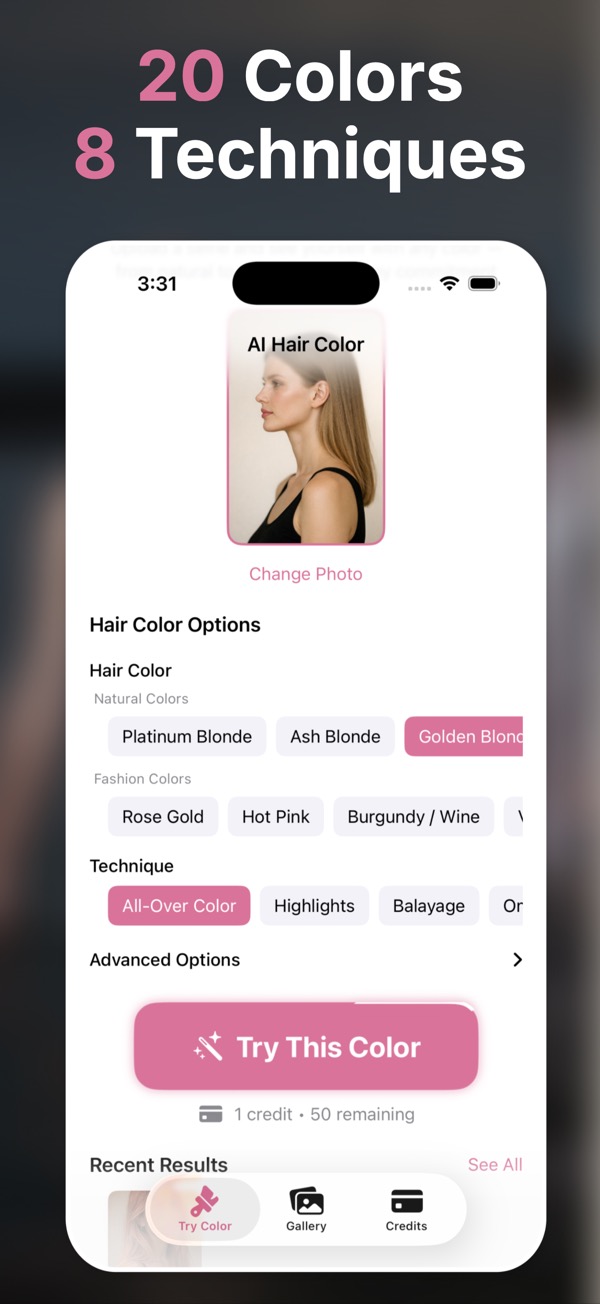
Try balayage, ombre, highlights, babylights, dip-dyed tips, and more.
Made to share
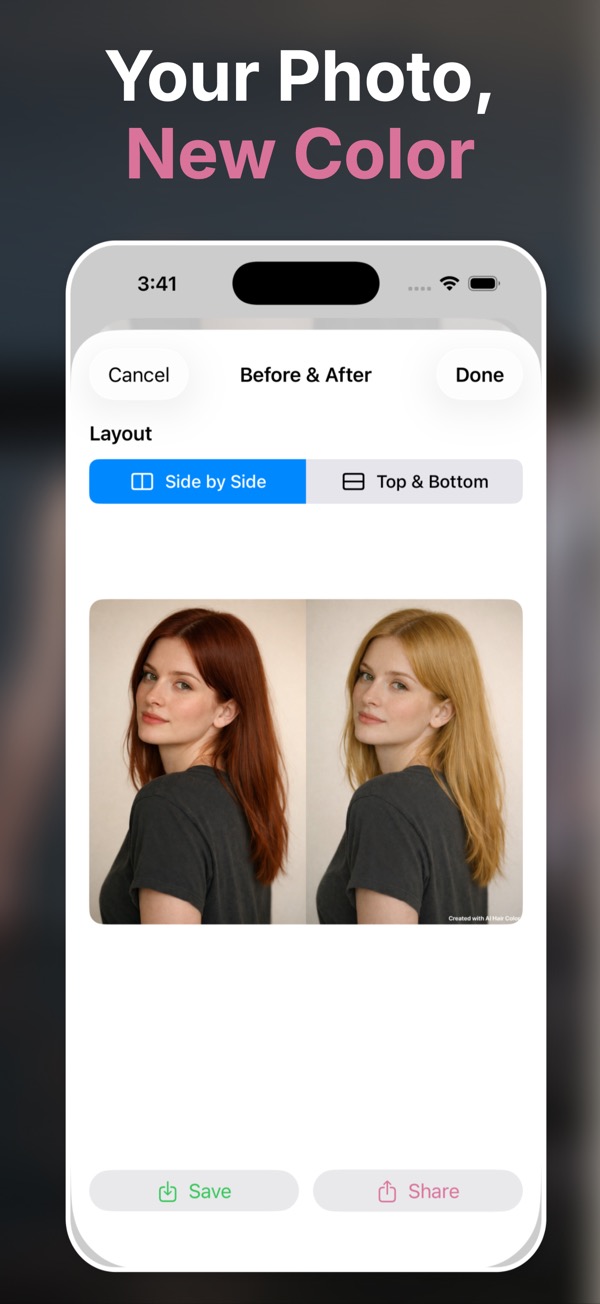
Save favorites and bring a before-and-after comparison to your appointment.
Pick a clear photo
Use a front-facing selfie or portrait with visible hair.
Choose color and technique
Select natural shades or fashion colors, then tune intensity and finish.
Save the best version
Keep the look that feels right and show it before you commit.
Questions people ask
Is AI hair color try-on realistic?
AI Hair Color & Style is built for photorealistic previews rather than painted overlays. Results still depend on photo quality, lighting, and hair visibility.
Can I try natural and fantasy colors?
Yes. The app supports natural tones such as blonde, brunette, copper, and auburn, plus bold shades like rose gold, violet, teal, pink, and silver.
Can I show the result to my stylist?
Yes. Save favorites and share before-and-after layouts so your stylist can see the direction, placement, and intensity you want.
Does the app require a subscription?
No. The App Store listing describes one-time credit packs. You can start with one free credit and buy more when needed.
What makes a good photo for hair color AI?
Use a sharp photo with your hair visible, even lighting, and minimal hats, heavy shadows, or hair-covering accessories.